downloads · firmware and app
Install ExplorInk on your own reader
Two halves: firmware on the e-ink reader, an app on the Android phone. Both are free downloads, both are alpha, and both take a USB cable and about half an hour. Nothing is hidden about what it overwrites or what is still untested.
Browser flasher What you need Firmware Phone app When it goes wrong
What you need
- An unlocked Xteink reader: the plain X4, an X3, or an X4 Pro. Or a LilyGo T5 S3 Pro, which is a bare development board rather than an Xteink product, see below. Which build you take depends on which one, see the device table below.
- A cable that carries data, not a charge-only one. The plain X4 and the LilyGo T5 S3 Pro both have a USB-C socket and take an ordinary cable. The X3 and the X4 Pro have no socket at all: data comes out on the pogo pins, so you need the USB-C-to-pogo dongle that ships in the box.
- A microSD card, FAT32 formatted. It can be empty: the firmware creates its own directory the first time a map square arrives.
- A computer with Python 3 for the flashing tool. Linux, macOS or Windows.
- An Android phone, version 12 or newer. The reader has no GPS receiver, so the phone is the receiver.
Which devices this firmware runs on
| Device | Chip | This build |
|---|---|---|
| Xteink X4 (plain) | ESP32-C3 | Verified on real hardware. Every measurement on this site came off one. |
| Xteink X3 | ESP32-C3 | Compiled in, and the firmware probes for the X3’s own fuel gauge and clock. Flashed on a real X3 on 9 Sep 2026: it boots, names itself, mounts the SD card and draws the map at 528 by 792. The button hint boxes are cut off by the bottom edge of that panel, so the layout still needs work. |
| Xteink X4 Pro | ESP32-S3 | Its own build, 0.2.1-alpha, released 15 Sep 2026. Different chip family, so not the files above: take the X4 Pro download in step 1. Run on a real X4 Pro the same day, on the device’s own buttons and glass: boot, the map drawn from the card, zoom, the map menu, the double-tap touch lock, and the frontlight with its brightness and colour temperature sliders. It also drops two serial commands the previous build should not have shipped. The device page names what is still untested. |
| LilyGo T5 S3 Pro | ESP32-S3 | Alpha build, 0.2.1-alpha, released 10 Sep 2026. Not an Xteink product: a bare LilyGo development board we use to validate the firmware on different hardware. Same chip family as the X4 Pro, but its own images, see step 1. Verified on a real unit the same day, with the published binary: it boots, the double-tap touch lock works, and it is the only board that shows the satellite screen, because it is the only one with a receiver. |
Two facts that decide whether you can flash at all. The plain X4 is the only device in the line with a USB-C port: the X3 and the X4 Pro carry USB on their pogo pins, so flashing them needs the vendor’s USB-C-to-pogo dongle and there is no substitute for it. And the plain X4 was discontinued by Xteink on 2026-08-12, so the unit on sale today is usually a marketplace one.
Units sold locked, mostly the China-market ones on AliExpress, do not enumerate over USB at all: the computer sees no serial port, so there is nothing to flash. CrossPoint, the project this firmware forks, ships an unlock tool for that case: the CrossPoint unlock tool. We have not run it, so treat it as a pointer, not a recommendation.
The one thing to get right: back up first
Flashing writes over Xteink’s own reader firmware. There is no menu entry, no recovery partition and no vendor download that puts it back. What puts it back is a copy of the flash you made before you wrote anything.
So the first command reads the whole 16 MB flash into a file on your computer. It takes a few minutes, and on an X4 Pro about twenty, with the screen frozen for all of it. Keep that file: it is the reader you paid for, and it is the difference between an experiment and a one-way door. Our firmware also lays out the flash differently from Xteink’s, so the file is not a convenience, it is the only copy of the original layout that will ever exist.
python3 -m pip install esptool
esptool -p /dev/ttyACM0 --no-stub read-flash 0 0x1000000 xteink-stock-backup.bin
The --no-stub is not optional here. Without it the read dies
partway with A fatal error occurred: Packet content transfer stopped. Measured
on an X4 Pro on 10 Sep 2026: it stopped at 15 percent after 21 seconds, and with the flag it
read all 16 MB in 18 minutes. The flag tells esptool to talk to the chip’s built-in ROM
loader instead of uploading its own faster helper, which is what does not survive a transfer
this long. The 3.9 MB firmware write in step 1 does use the stub and succeeds, so the flag is
not needed there. Why the long read fails and that write does not is not settled: those two
differ in size and in direction at once, and only the read has been tested.
Check that the command finished. When the read fails it still leaves a file
called xteink-stock-backup.bin behind, holding however much arrived. It is not a
backup. The finished file is exactly 16,777,216 bytes: ls -l on Linux and macOS,
dir on Windows. A short one means run it again, and do not go on to step 1 until
the size is right, because step 1 is what makes the original unrecoverable.
Port names: /dev/ttyACM0 on Linux, /dev/cu.usbmodem* on macOS,
COM5 or similar on Windows. On Linux, confirm you have the reader and not
another device: udevadm info -q property -n /dev/ttyACM0 | grep ID_VENDOR_ID
answers 303a for this chip. Older esptool releases spell the commands with
underscores (read_flash, write_flash).
Putting it back later is the same tool, the other direction, and the same flag for the same
reason:
esptool -p /dev/ttyACM0 --no-stub write-flash 0x0 xteink-stock-backup.bin. That
one has been run: an X4 Pro was restored from its own backup on 9 Sep 2026 and read back
byte for byte identical afterwards.
Step 1: the firmware
Two downloads, one per chip family. Take the X4 and X3 files for a plain X4 or an X3, and the X4 Pro files for an X4 Pro. Nothing is interchangeable: a C3 image on an S3 does not boot.
The offsets below are not read off a datasheet. Each one was checked against that model’s own 16 MB flash dump, taken off a real device before anything of ours was written to it. Getting this wrong bricks a reader, so it is checked per model rather than copied across.
The browser flasher does everything below for you: it picks the right images for the device it finds, writes them at these offsets, and takes the backup first. Take the files here if you want the command line, or if your browser has no Web Serial.
Xteink X4 and X3, the ESP32-C3 build
Firmware 0.2.0-alpha, all three files
- bootloader.bin, 18 kB, goes to
0x0 - partitions.bin, 3 kB, goes to
0x8000 - firmware.bin, 3.9 MB, goes to
0x10000
esptool -p /dev/ttyACM0 write-flash \
  0x0     explorink-0.2.0-alpha-esp32c3-bootloader.bin \
  0x8000  explorink-0.2.0-alpha-esp32c3-partitions.bin \
  0x10000 explorink-0.2.0-alpha-esp32c3-firmware.bin
Checksums are published next to the files as SHA256SUMS-firmware.txt.
This build moves the map tile format from v3 to v4 (contour lines, hachures, a
relief layer). It passed 417 firmware host tests and a clean build; this exact image
has not run on a real X4 or X3, since none was on hand when it was built. The X3
flashed on 9 Sep 2026 took a later development build, not this download. A card with v3 tiles
on it will not work with this firmware, see step 2.
Xteink X4 Pro, the ESP32-S3 build
Four files here, not three. The extra one is eight kilobytes that tell the chip which of its two application slots to boot. Your reader almost certainly already points at the right one, and writing it costs a second and removes the case where the flash succeeds and the device still starts Xteink’s firmware.
Firmware 0.2.1-alpha for X4 Pro, all four files
- bootloader.bin, 18 kB, goes to
0x0 - partitions.bin, 3 kB, goes to
0x8000 - boot_app0.bin, 8 kB, goes to
0xe000 - firmware.bin, 3.8 MB, goes to
0x10000
esptool -p /dev/ttyACM0 --chip esp32s3 write-flash \
  0x0     explorink-0.2.1-alpha-x4pro-esp32s3-bootloader.bin \
  0x8000  explorink-0.2.1-alpha-x4pro-esp32s3-partitions.bin \
  0xe000  explorink-0.2.1-alpha-x4pro-esp32s3-boot_app0.bin \
  0x10000 explorink-0.2.1-alpha-x4pro-esp32s3-firmware.bin
Plug the pogo dongle in first: without it the X4 Pro shows up as nothing at all.
This image ran on a real X4 Pro on 15 Sep 2026 and that is what is published here,
byte for byte, rather than a rebuild. This whole page was walked on
10 Sep 2026 on an X4 Pro put back to Xteink’s own firmware first, using
nothing but what is written here: the four files downloaded from the link above, their
checksums checked, the backup taken, and this exact command run. It booted into
ExplorInk. The one thing that had to change on this page as a result is the
--no-stub in the backup command above. That walk was done with the
previous build; the files have moved on, the steps have not.
0.2.1-alpha removes two commands that 0.2.0-alpha should never have carried. Anyone holding the device over USB, or in Bluetooth range of it, could write into its stored settings and inject button presses, because both channels share one command grammar with no authentication. If you are running the older build, this is the reason to replace it. What is still untested is on the device page: this release says more works than the last one, not that the reader is finished.
LilyGo T5 S3 Pro, the ESP32-S3 build
This is not an Xteink reader: it is a bare LilyGo development board we flash to validate the firmware on hardware other than Xteink’s. It has its own USB-C socket, so no pogo dongle is needed here, and the offsets are the same shape as the X4 Pro’s, four files rather than three.
Firmware 0.2.1-alpha for the T5 S3 Pro, all four files
- bootloader.bin, 18 kB, goes to
0x0 - partitions.bin, 3 kB, goes to
0x8000 - boot_app0.bin, 8 kB, goes to
0xe000 - firmware.bin, 3.9 MB, goes to
0x10000
esptool -p /dev/ttyACM0 --chip esp32s3 write-flash \
  0x0     explorink-0.2.1-alpha-t5s3pro-esp32s3-bootloader.bin \
  0x8000  explorink-0.2.1-alpha-t5s3pro-esp32s3-partitions.bin \
  0xe000  explorink-0.2.1-alpha-t5s3pro-esp32s3-boot_app0.bin \
  0x10000 explorink-0.2.1-alpha-t5s3pro-esp32s3-firmware.bin
This build comes off the board’s own long-running branch rather than
develop, so newer shared work may not be in it yet, see
the device page. This exact image is the one
hardware-verified on 10 Sep 2026: it boots and the double-tap touch lock works.
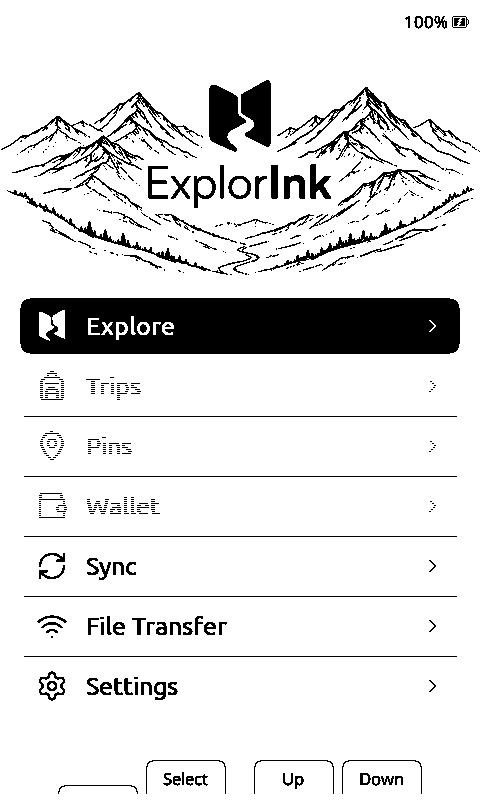
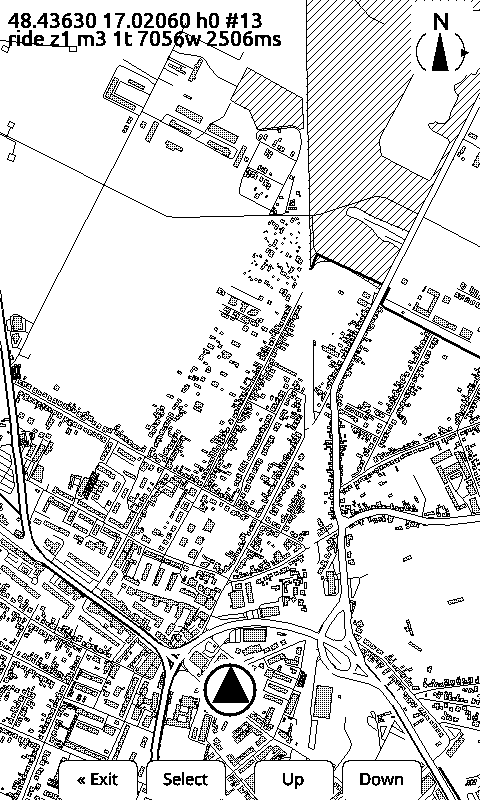
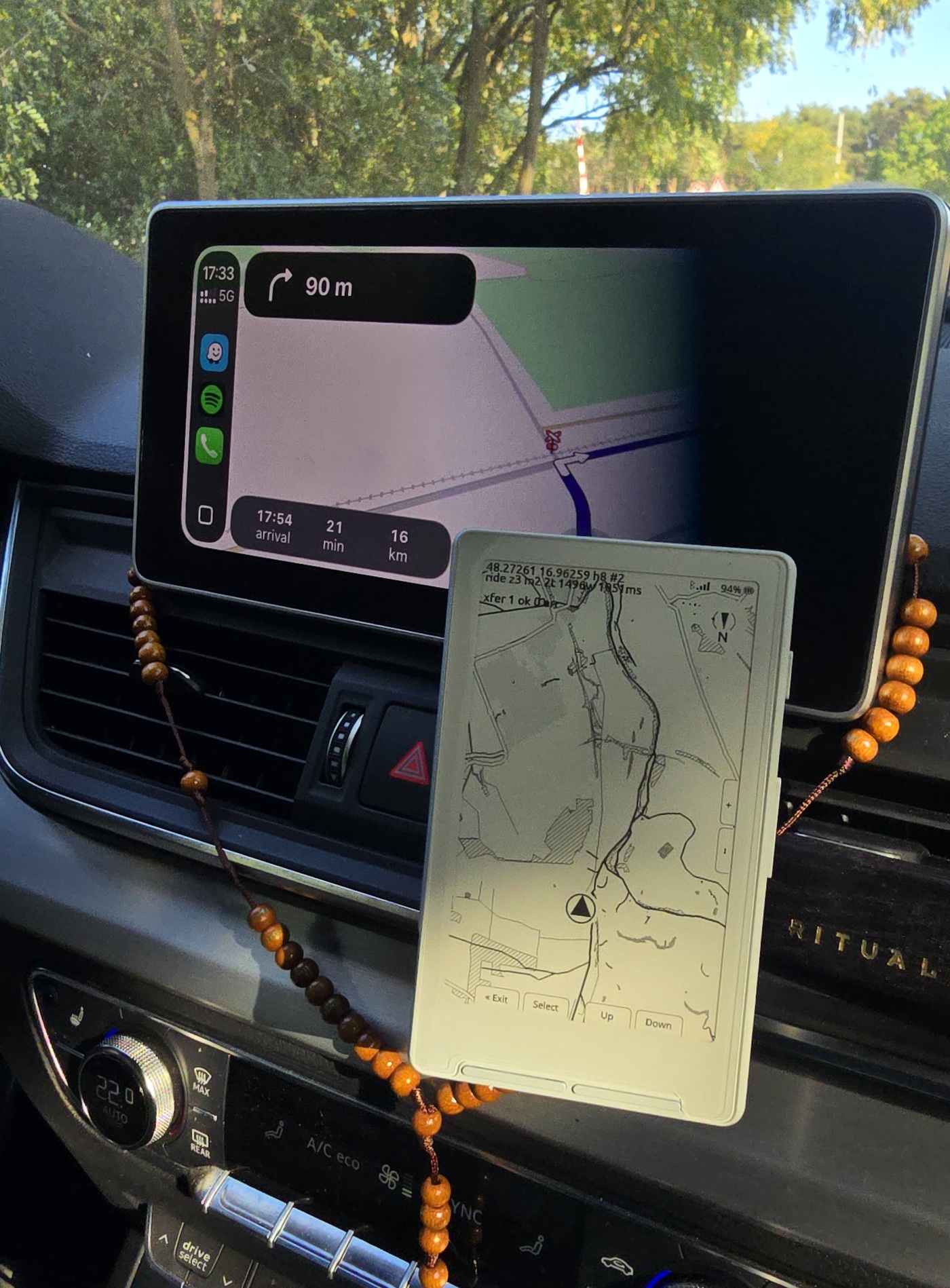
The reader reboots into ExplorInk on its own. You get a home screen with Explore at the top, and Explore is the map. With no card and no tiles the map has nothing to draw yet, which is what step 2 is for.
Step 2: the card, and where the map comes from
Put a FAT32 microSD card in. It can be blank. Map squares arrive over Bluetooth from the phone: the reader lists the squares it does not have, the app fetches them from our tile server and pushes them across, and the firmware creates the directories as they land.
Coverage is not the whole world yet, and with the v4 tile format it starts from zero: nothing carries over from what was built under v3. What is built today is visible on the live coverage map. Ride onto ground that has no tiles and the reader draws a hatched square instead of a map, and that miss is logged on the server, which builds the area and publishes it, usually within minutes. That works anywhere in the world since 29 August 2026: the builder used to refuse everything outside a box around Europe, and the first owner to write to us was outside it. What still bounds it is throughput, not geography. The builder takes the ten most-asked-for squares at a time and caps the day, so a large area nobody has ever ridden fills in over several passes rather than at once.
Already have a card from an earlier install? It holds v3 tiles, and this firmware only reads v4. Wipe the map folder and let the reader fetch its tiles again over Bluetooth.
How the tiles are built, and why they are a custom format rather than an existing one.
Step 3: the phone app
ExplorInk GPS, Android 12 or newer, sideloaded. It sends the position, brings the missing map squares, queues a whole area before a trip, records the ride and manages the reader’s pins.
Two things to know before you tap it, because both stop an install dead if they are a surprise:
- It is debug-signed. This alpha carries the shared Android debug key, which identifies nobody. When a properly signed build arrives it cannot update this one: Android refuses an update across a different signing key, so you will have to uninstall first. That break is known, and it is the price of shipping something now.
- It is not on Google Play. Your phone will ask to allow installing unknown apps from whatever you tapped the file in, and Play Protect may warn once. Both are normal for a self-signed APK.
With a cable it is one command and no permission dance:
adb install -r explorink-gps-0.3.5.apkOn first launch it asks for nearby devices (Bluetooth scan and connect), location, and notifications, which is the foreground service that keeps the link alive. Then you pair with one reader once, through Android’s own companion device dialog. After that the operating system watches for that reader: open Explore on the bars and the app wakes up on its own, with the phone locked and nothing tapped.
When it goes wrong
| What you see | What it is |
|---|---|
Invalid head of packet (0x0D) |
Almost always the wrong serial port, not a bad cable. A phone and the reader both show up as /dev/ttyACM* and they swap places. Check the vendor id is 303a. |
| No serial port appears at all | A charge-only cable, or a locked unit. See the unlock tool above. On an X3 or an X4 Pro it is usually neither: those have no USB socket, so without the pogo dongle there is nothing for the computer to find. |
| Explore opens but the map is blank or hatched | No tiles for that place yet. Check the card is in, then the coverage map. |
| The reader is frozen after flashing | Plug it in and write the firmware again, or write your stock backup back. The chip’s own boot ROM answers the flashing tool even when the firmware on top of it is hung, which is why the backup is always reachable. |
| Play Protect blocks the app | Expected for a self-signed APK. More details, then install anyway. |
| The app installs but never connects | Open Explore on the reader first. The link is started from the map screen, and a force-stopped app cannot be woken by anything. |
What is verified, and what is not
Verified on a real X4: the map render off the card, place names, track-up, a route overlay, pins, the phone link and tile transfer over Bluetooth. Unless a number says otherwise, that reader is where it came from.
Not verified, said plainly:
- A real X3, past first boot. One was flashed on 9 Sep 2026 and the map drew on it from a phone fix. The fuel gauge has not been read, the sunlight refresh has not been tested, and the button hints sit in the wrong place on that screen.
- The X4 Pro, past the first day. Its own binary, released here on 9 Sep 2026 and run on a real unit the same day: it boots, the panel draws, the SD card mounts, touch and the home key and the frontlight all answered, and one map frame rendered in 1,183 ms. Not answered on that pass: whether the frontlight flashes at boot, the frontlight PWM frequency on this board, turning touch off from the settings menu, and what the heap does over a long session. The device page has the numbers.
- Whether an X4 Pro can ship with flashing locked. Some marketplace X4 units do. Ours is not locked, and one device is not a survey.
- This exact write onto a stock device, on any of the three readers. Every flash so far went onto a reader that already ran this firmware. The offsets are confirmed against each model’s own flash dump, and the step itself has not been done from stock by us.
- Battery life for a full ride. Ride draws of 17 to 46 mA are measured, the capacity behind the runtime claim is the vendor’s number, and nobody has run a cell down on a bench.
Security, before you carry it
The reader answers commands over Bluetooth with no pairing, no bonding and no authentication, and the same commands over the USB serial port. Anyone in radio range can ask it where it is. A lost or stolen reader is not private, and this is a known open item rather than a solved one. Do not put anything on it you would mind a stranger reading.
The one exception is the document wallet: what the phone writes to the card is encrypted, and the reader only ever holds ciphertext plus the key material it needs to show a page.
No account, no telemetry from the device
There is no login and no cloud service. The reader talks to your phone. The phone talks to a static tile server, which sees a request for a map square and nothing else. Your recordings are files on your phone.
Both halves are open source: the firmware and the Android app. There is also a browser flasher: the same three images written over USB from a Chromium desktop browser, with the stock backup taken first and no command line at all.
The questions people ask before trying it · what landed when, with the measurements