development · map sync ·
Getting the map onto the reader, square by square
There is no region to buy and no four gigabyte country download. The reader keeps a list of the map squares it tried to open and did not have. The phone fetches those squares from our tile server over Bluetooth. If nobody has ever built one, the server builds it from OpenStreetMap because you asked for it, and it is usually there seconds later.
Do I have to prepare the map before I go?
No, and you can. All of it is off until you start it, and a transfer is always started on the reader, never by the phone: it spends your mobile data, so it is your decision. Three ways in, and they are the same mechanism with different timing:
| When | What you do | What happens |
|---|---|---|
| At home, the evening before | Open Sync on the reader with the phone nearby | Everything the reader noticed it was missing comes across |
| Planning a trip | Find the place in the phone app and queue the area | The phone holds the squares and pushes them the next time the reader is listening |
| Out on the way | Switch auto-sync on, once, in the reader's settings | Walking onto a square the reader does not have fetches it there and then |
Nothing here needs an account, a subscription or a region licence. A square on your card is yours, offline, and stays there.
What a missing square looks like, and what the reader does about it
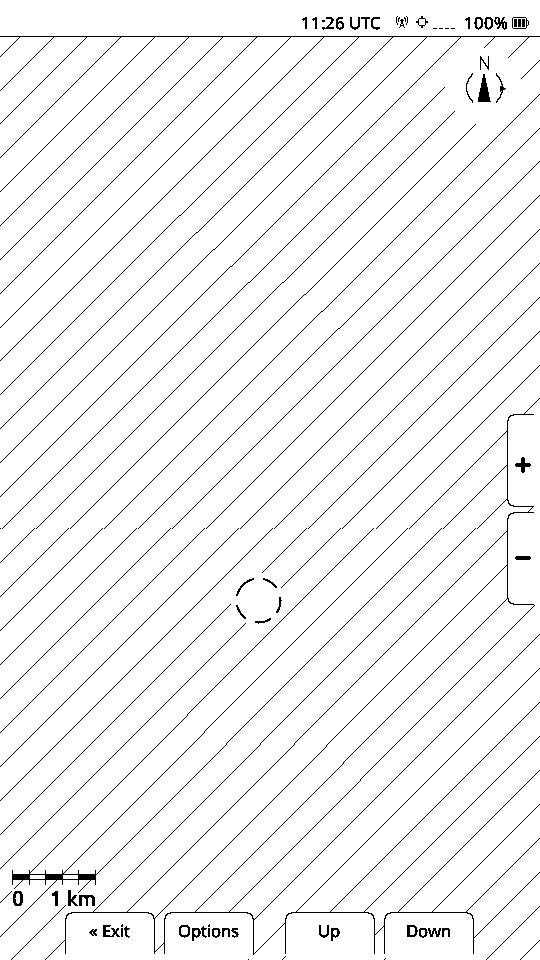
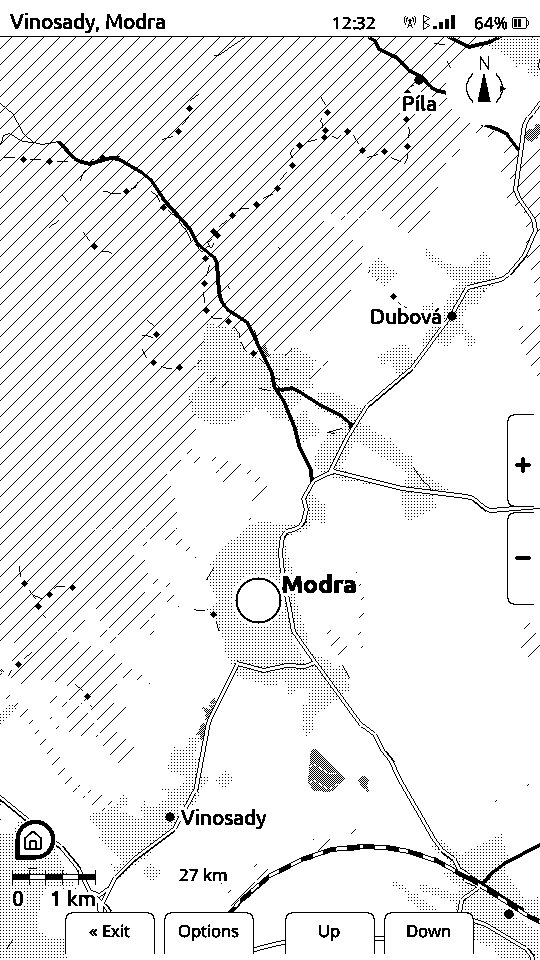
A square the reader does not have is drawn as diagonal hatching rather than as empty white. White would be a lie: it reads as flat ground with nothing on it. Hatching says no data here, which is a different sentence and the true one.
Behind that, the reader writes the square down, with a count of how many times it has been wanted, and the list survives a restart. That is a record of what a real ride actually needed, not a guess made at a desk, and it is what the Sync screen works through.
The Sync screen, with real figures
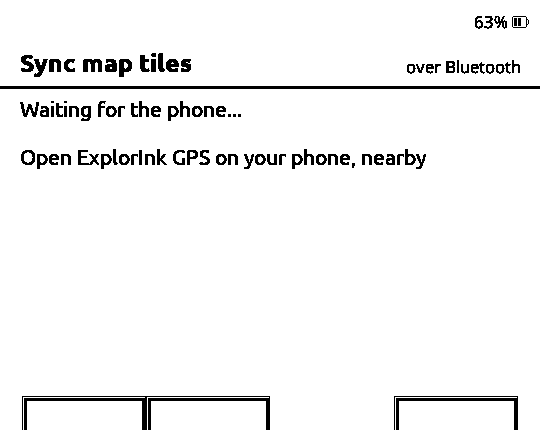
Sync is its own row on the home screen. Opening it starts Bluetooth and waits for the phone. The empty boxes are the squares it knows it is short of.
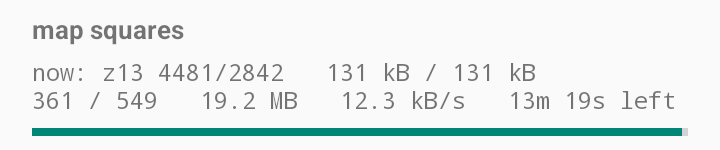
With the app running nearby, the transfer starts on its own and the screen turns into a progress report: how many squares are done, how much has arrived, the speed, the time left, and which square is coming over right now with its own byte count.
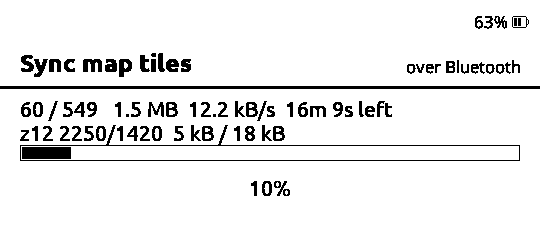
So the numbers, measured on 2026-11-03 between a LilyGo T5 S3 Pro and a Samsung S24 Ultra: about 12 kB/s over Bluetooth, squares of roughly 5 to 35 kB, and an average near 25 kB. A whole queued area of 549 squares is about 14 MB and a bit under twenty minutes. A single square you walked onto is a second.
Leaving the screen cancels the transfer and the screen says so. Nothing is lost: the phone keeps the queue and carries on the next time you open Sync.
The same transfer, seen from the phone
The app carries the other half of the job, and it says the same numbers the reader does. This is its main screen while that transfer ran:
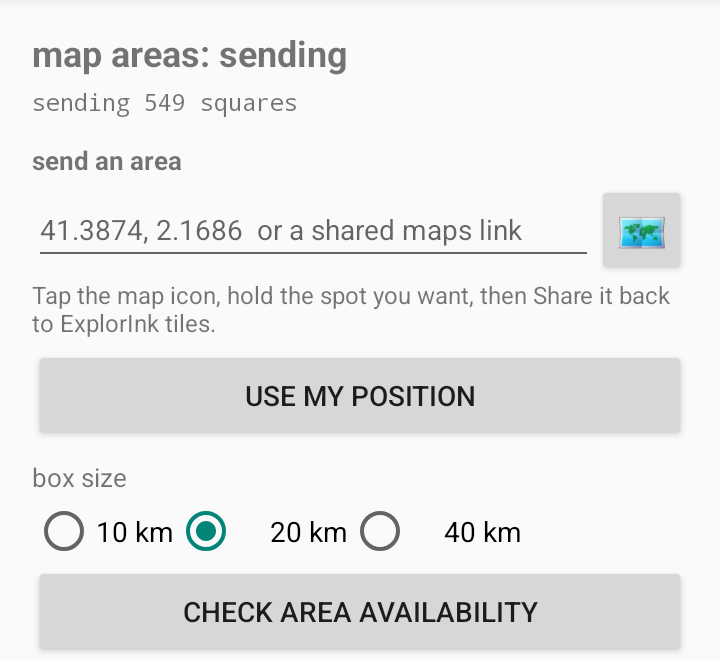
Queuing an area ahead of a trip is the Map areas screen. Give it a coordinate or a link shared out of Google Maps, pick a box 10, 20 or 40 km across, and ask what is there. It answers with the plan in exact numbers rather than an estimate, and nothing is queued until you have seen that and pressed Add.
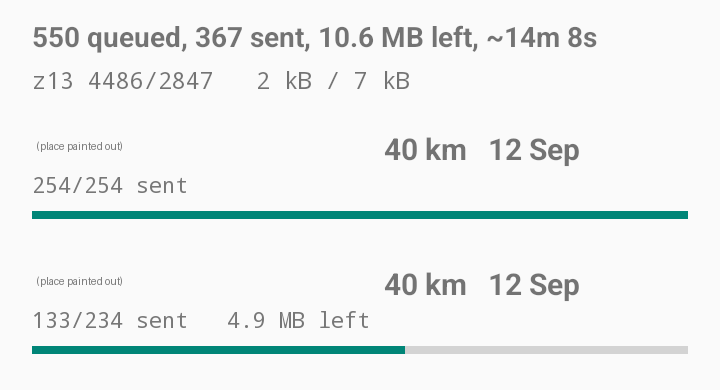
The queue below it survives everything: the reader being off, the app being closed, the phone being rebooted. The two areas in this shot were queued in September and are still working through, one finished and one part way.
When nobody has ever built that square
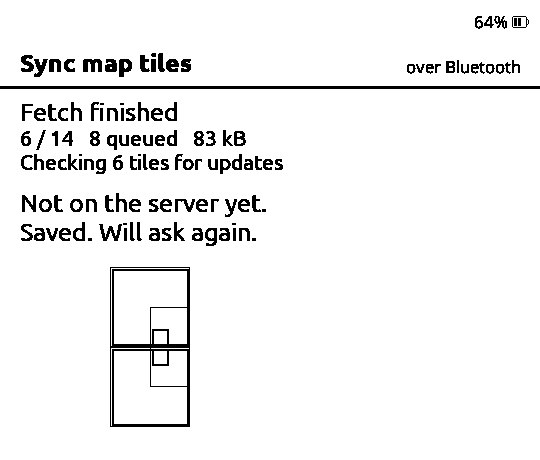
Then the server has not got it either, and that is the interesting case. The missing request is the request: within seconds our tile server counts the misses of the last day, takes the ten most wanted, builds those areas from OpenStreetMap and publishes them. The reader says not on the server yet, saved, will ask again, and the next sync usually brings it.
That is why there are no prepared country packs here and no coverage you have to wait for us to decide on. How the tiles are built has the format, the levels of detail and the server side of this.
A square that went out of date is a separate question
A square that opens and draws is treated as good forever, however old it is. That is deliberate: the reader cannot tell a stale square from a current one by looking at it. Each square carries an identifier that changes when it is rebuilt, and comparing that against what the server publishes is the only way to know.
Asking that question costs a connection and your data, so it has its own setting with three positions, and it ships off:
| Setting | What it does |
|---|---|
| Off, the default | Never ask. Squares on the card are used as they are |
| Sync screen | Ask once when you open Sync. Preparation at home, where spending data is expected |
| Live | Ask from the map as well, on a cooldown, while you are out |
It is worth having, and it was earned the hard way. A classification bug once drew a tram line as a mainline railway. The bug was fixed, the area was rebuilt, and every reader that had already synced kept the wrong picture, permanently, because the file opened and drew perfectly well.
Everything here is off until you turn it on
Auto-sync during a ride is off. The staleness check is off. There is no background service, no account, no login, and the phone never pushes anything the reader did not ask for. The reason is the same in all three cases: it is your mobile data, and a map reader that quietly spends it has broken something more important than a map square.
What it cannot do today
A board using its own satellite receiver cannot fetch mid-ride. The map screen runs one radio at a time, so with the on-board receiver switched on there is no Bluetooth to ask the phone through, and a missing square stays hatched for that session. The Sync screen itself is unaffected. On the Xteink readers, which have no receiver, this does not come up.
Your phone needs a connection at the moment of fetching, since the squares come from our server. Queue the area at home over Wi-Fi and the data cost on the road is zero.
Bluetooth is the only path for a square today. 12 kB/s is fine for the handful you walk onto and slow for a country. The reader also has a Wi-Fi file transfer screen, where a browser can upload files onto the card directly, and wiring the tile sync to that is not done.